How to Fix Duplicate Content: An SEO Guide
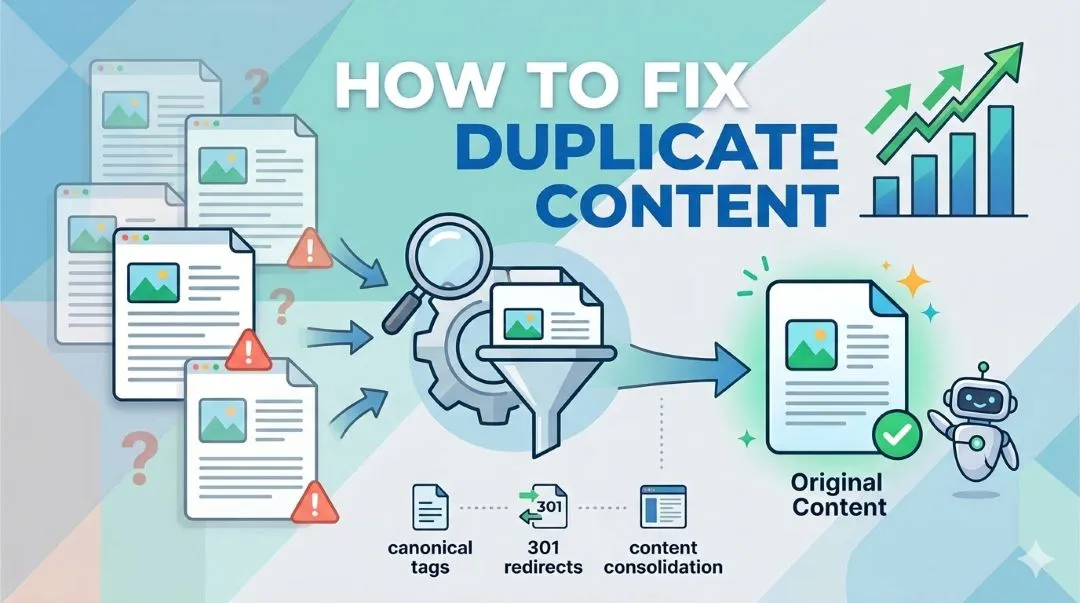
Table of Contents
- What Is Duplicate Content in SEO?
- Why Duplicate Content Can Hurt Your SEO
- How to Find Duplicate Content on Your Website
- How to Fix Duplicate Content Step by Step
- When Duplicate Content Is Not a Problem
- Best Practices to Prevent Duplicate Content
- Quick Checklist to Fix Duplicate Content
- Conclusion
- Frequently Asked Questions
- Does duplicate content hurt SEO?
- What is the difference between a canonical tag and a 301 redirect?
- Can duplicate content come from my own CMS?
- How do I check if my site has duplicate content?
- How often should I audit for duplicate content?
Duplicate content is one of those problems that quietly sits in the background while your rankings slowly suffer. Most website owners don't even know it's there.
It's not a dramatic penalty. Google won't send you a warning email. But over time, duplicate content issues can confuse search engines, split your ranking signals, and waste the crawl budget that should be spent on your most important pages.
In this guide, I'll show you exactly how to find duplicate content on your site and fix it using tools you probably already have access to.
What Is Duplicate Content in SEO?
Duplicate content refers to substantially similar or identical content appearing on more than one URL, either within your own website or across different websites.
A simple example:
example.com/blog/seo-guideexample.com/blog/seo-guide?ref=twitter
Both URLs show the exact same page. To you, that's one piece of content. To Google, those are two separate pages competing against each other.
There are two types to understand. Internal duplicate content happens within your own site, different URLs with the same content. External duplicate content happens when the same content appears on multiple websites, like syndicated articles or copied product descriptions.
Google will usually try to pick one version to index and suppress the rest. The problem is, it doesn't always pick the version you want.
Why Duplicate Content Can Hurt Your SEO
Most SEOs and website owners assume duplicate content means an automatic penalty. That's not quite right. Google rarely penalizes it directly. But it does create problems that chip away at your rankings over time.
Search engines get confused. When the same content lives on multiple URLs, Google has to decide which one deserves to rank. It doesn't always get this right, and sometimes it picks a URL you didn't intend to rank at all and the wrong url gets an impression and clicks.
Your ranking signals get diluted. Say two different sites link to two different versions of the same page. Instead of both links strengthening one URL, that authority gets split. This directly connects to what backlinks actually do for your SEO — they lose power when spread across multiple URLs.
Crawl budget gets wasted. We all know search engines have a limited amount to spend for pages and sites. If these bots keep hitting duplicate pages, they might never reach your important content.
Common Causes of Duplicate Content
Before you can fix it, you need to know where it's coming from.
URL variations are the most common culprit. A single page can accidentally exist as example.com/page, example.com/page/, and example.com/page?utm_source=twitter, all at the same time.
HTTP vs HTTPS and WWW vs non-WWW versions are another big one. If http://example.com and https://example.com both load without redirecting to one version, you have a duplicate problem right at the root of your domain.
CMS platforms like WordPress and Shopify generate duplicate pages by default. Tag pages, category archives, author pages, and paginated pages can all produce near-identical content. This is something I covered in more detail when writing about the SEO setup checklist for new websites — it's one of the first things to sort out before anything else.
E-commerce product variations are a problem too. If your store creates a separate URL for each color or size of the same product, you can end up with dozens of near-identical pages.
How to Find Duplicate Content on Your Website
You don't need a paid tool to start. Here's where I'd look first.
Google Search Console is the most direct option. Under the Pages report, look for two specific flags: Duplicate without user-selected canonical and Alternate page with proper canonical tag. These tell you exactly which pages Google sees as duplicates.
Screaming Frog SEO Spider is what I use for a deeper audit. The free version crawls up to 500 URLs and flags duplicate page titles, meta descriptions, and body content. It gives you a clear picture of where the problem is concentrated.
Siteliner is a fast free option if you just want to check for duplicate content across your pages without setting up a full crawl. Run your domain through it and it shows you which pages share the most repeated content.
How to Fix Duplicate Content Step by Step
This is the part that actually matters.
Use canonical tags. A canonical tag tells Google which version of a page is the preferred one. You add it in the <head> of the duplicate page, pointing to the correct URL:
<link rel="canonical" href="https://example.com/page" />
On WordPress, plugins like Yoast or Rank Math handle this automatically. For any URL with tracking parameters like ?utm_source=twitter, canonical tags are the cleanest fix.
Set up 301 redirects. If two pages genuinely serve the same purpose, redirect one permanently to the other. This is how you consolidate HTTP to HTTPS, non-WWW to WWW, and any accidental duplicate paths. A 301 redirect passes almost all ranking signals to the destination URL, which is exactly what you want.
Add noindex to pages that shouldn't rank. Tag pages, internal search result pages, and filter pages don't need to appear in Google Search. Adding a noindex meta tag keeps them out of the index without deleting the pages entirely.
Consolidate similar content. If you have three articles on almost the same topic, say "SEO tips for beginners," "basic SEO tips," and "SEO starter guide," that's internal duplicate content even if the wording differs. Merge them into one strong article and redirect the others to it. I went through this process myself and wrote about how I update old content for SEO. It's one of the highest-leverage things you can do for an existing site.
Fix your internal links. Once you've set your canonical URLs, make sure every internal link across your site points to the preferred version. Internal linking sends signals to Google about which pages matter most. Linking to the wrong URL, even internally, creates confusion.
When Duplicate Content Is Not a Problem
Not every case of repeated content needs a fix. Printer-friendly versions of pages, legal disclaimers that appear sitewide, quoted content with proper attribution, and manufacturer product descriptions used across multiple retailers are situations Google generally handles on its own.
The issue is when duplicate content is unintentional and structural. That's when it starts quietly working against you.
Best Practices to Prevent Duplicate Content
Fixing the problem once is good. Not creating it again is better.
Use a consistent URL structure from the start and stick to it. Always use HTTPS and pick either WWW or non-WWW and redirect the other. Set canonical tags as a standard step when publishing new content, not something you go back and fix later.
If you're on WordPress, configure your permalink settings carefully and disable unnecessary archive pages if they don't add value. On Shopify, be aware that product URLs can appear under both /products/ and /collections/product/ paths. That's a known duplicate content issue that needs a canonical tag to resolve.
Monitor your site regularly using Google Search Console. The Pages report will flag new duplicate issues as they appear, so you're not discovering problems months after the fact.
Quick Checklist to Fix Duplicate Content
Before you close this tab, here's a simple checklist to work through:
- Check the Pages report in Google Search Console for duplicate flags
- Run a site audit using Screaming Frog SEO Spider or Siteliner
- Add canonical tags to pages with URL variations or tracking parameters
- Set up 301 redirects for HTTP, non-WWW, and any duplicate paths
- Add noindex to tag pages, filter pages, and internal search results
- Merge thin or overlapping articles into one stronger page
- Update internal links to always point to the canonical URL
Conclusion
Duplicate content is common. Almost every website has some version of it, especially if it's been around for a while or was built on a CMS without much SEO configuration upfront.
It rarely causes a penalty on its own. But left unchecked, it quietly weakens to fix duplicate content issues and becomes harder the longer you wait. Rankings slip, crawl budget gets wasted, and good content gets overlooked because Google isn't sure which version to trust.
Run the audit. Fix the obvious issues first. Then build the habit of checking regularly so it doesn't pile up again.
If you want a proper look at how your site is set up before tackling issues like this, I work with website owners to review their SEO foundation and identify what's worth fixing first. You can learn more about my approach and how I work or get in touch if you'd like to talk through your situation.
Frequently Asked Questions
Does duplicate content hurt SEO?
Not always in the form of a direct penalty, but it does create real problems. It splits ranking signals, confuses search engines about which URL to rank, and wastes crawl budget. Managing it properly keeps your SEO foundation clean.
What is the difference between a canonical tag and a 301 redirect?
A canonical tag tells Google which URL is preferred while keeping both URLs accessible. A 301 redirect permanently sends visitors and search engines from one URL to another. Use canonical tags for parameter-based duplicates and 301 redirects when you want to consolidate two pages completely.
Can duplicate content come from my own CMS?
Yes, and it's more common than people think. WordPress generates tag pages, category archives, and author pages that often contain duplicate or near-duplicate content. Shopify creates duplicate product URLs under different collection paths. Both need attention during your initial SEO setup.
How do I check if my site has duplicate content?
Start with Google Search Console and look at the Pages report for duplicate flags. Then run your site through Screaming Frog SEO Spider or Siteliner for a more detailed view. These tools will show you exactly which URLs are causing the issue.
How often should I audit for duplicate content?
Once a quarter is a reasonable habit for most sites. If you're regularly publishing new content or running an e-commerce store with frequent product updates, check more often. Google Search Console makes it easy to spot new issues as they come up.
Want help with your project? Get in touch .