Internal Links vs External Links: SEO Explained
A Nepali e-commerce client I worked with had decent content and a clean site. But almost none of their product pages were ranking. When I checked their linking structure, the problem was obvious. Every blog post linked out to external sources but nothing linked back to their own product pages. Google had no signal about which internal pages mattered most.
That's the kind of thing that costs rankings quietly for months.
Understanding internal and external links isn't complicated. But most site owners treat linking as an afterthought rather than an actual SEO tool. Here's a clear breakdown of what each one does, how they differ, and how to use both so they work for your site.
What Are Internal Links?
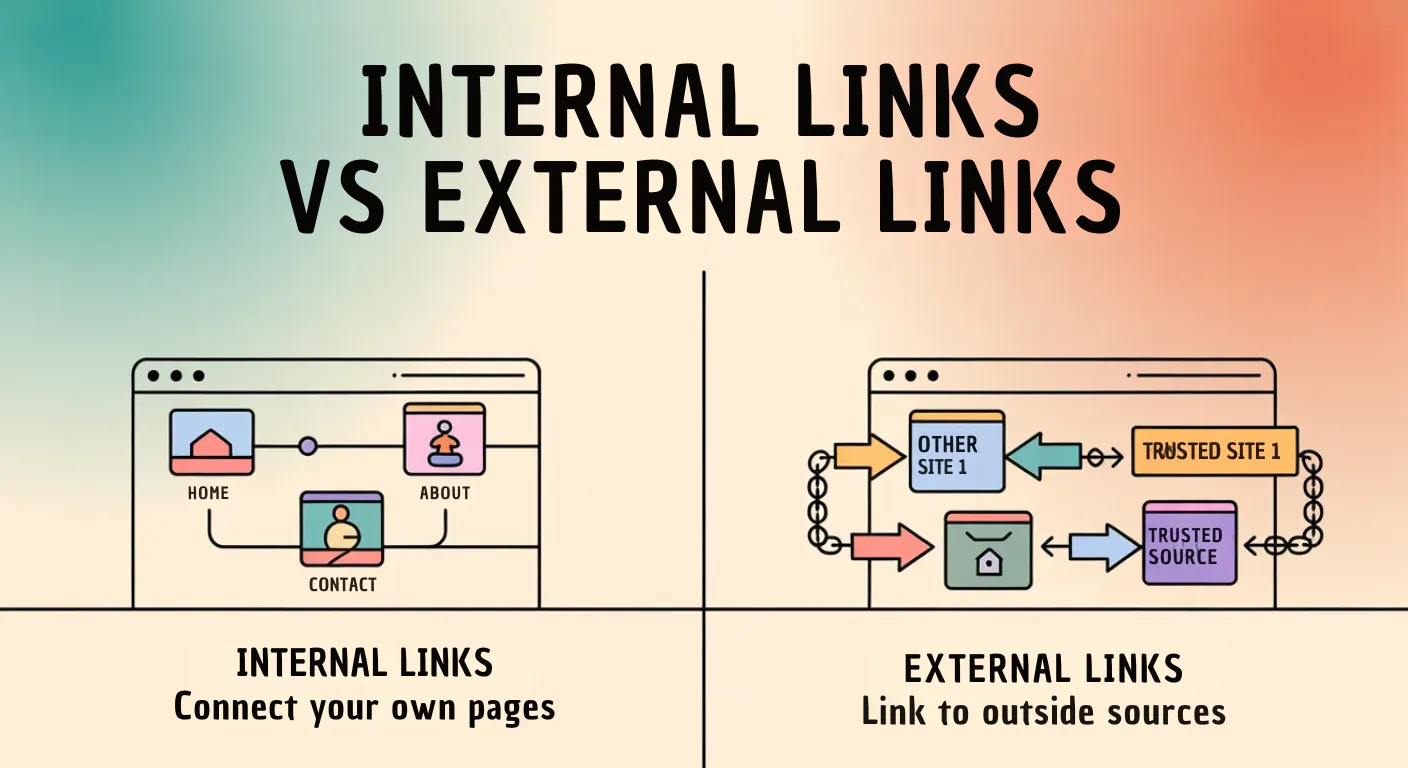
Internal links connect one page on your website to another page on the same website.
A simple example: yoursite.com/blog linking to yoursite.com/seo-guide. Both URLs are on the same domain. The link keeps the user on your site and tells Google these two pages are related.
Internal links do three things. They help users navigate your site and find related content. They help search engines discover pages that might not be easy to find otherwise. And they distribute authority across your site, passing some strength from your better-ranking pages to the ones that need a lift.
What Are External Links?
External links, also called outbound links, point from your website to a completely different website.
Example: yoursite.com/blog linking to anotherwebsite.com/article. You're sending the user somewhere else entirely.
Sites use external links to reference sources, cite data, or point readers toward useful resources. Done well, external links actually improve your content's credibility. They show you're backing up what you say with real sources rather than just making claims.
Internal vs External Links: Key Differences at a Glance
| Feature | Internal Links | External Links |
|---|---|---|
| Destination | Same website | Different website |
| SEO purpose | Improves site structure | Adds credibility and context |
| Control | Full control | Limited control |
| Authority flow | Kept within your site | Shared with another site |
| Common mistake | Too few on new pages | Avoiding them out of fear |
The common mistake column matters. Most beginners either ignore internal linking completely or avoid external links because they don't want to send visitors away. Both habits hurt SEO.
Why Internal Links Matter More Than Most People Think
Internal linking is one of the highest-leverage things you can do on your own site. It costs nothing and the impact is real.
Search engines discover your pages through links. Google crawls websites by following links from one page to the next. If a page on your site has no internal links pointing to it, there's a real chance it never gets properly crawled or indexed. These are called orphaned pages and they're more common than most people realize, especially on blogs that publish frequently without ever linking back to older content.
I've seen this happen and wrote about it in detail when covering what internal linking actually does to SEO. The fix is simpler than most people think.
Internal links distribute authority. When one of your pages earns strong rankings or attracts backlinks, that page carries authority. Linking from that strong page to a newer or weaker page passes some of that authority across. You can see the exact effect in my internal linking case study where I tracked what happened after improving the linking structure on a set of pages.
Internal links improve user experience. When someone reads one of your posts and finds a natural link to something related, they stay on your site longer and explore more content. That's good for them and good for your SEO signals.
For Nepali business websites specifically, this matters a lot. Most local sites I've reviewed have a handful of pages with decent traffic and dozens of others that never get visited. A few internal links from the high-traffic pages to the neglected ones can change that without any additional content work.
Why External Links Are Worth Using
Most people avoid external links because they worry about sending visitors away. That thinking is wrong.
Linking out improves content credibility. When you reference official documentation or a well-known study, it signals to readers and search engines that your content is grounded in something real. Thin content that makes claims with no supporting references looks weaker by comparison.
External links help readers go deeper. Not everything needs to be in your article. If someone wants more technical detail on something you've mentioned briefly, pointing them to a solid resource is genuinely helpful. That's the whole point.
Search engines use external links for context. The sites you link to tell Google something about what your page is about and who it's for. Consistently linking to relevant, authoritative sources reinforces your content's topic.
How to Use Both Effectively
For internal links:
Use descriptive anchor text. "Learn how keyword research works" is far more useful than "click here." Anchor text tells both the reader and Google what the linked page covers.
Link only to relevant pages. An internal link should make sense in context. Linking to an unrelated page just to add a link confuses everyone, including Google.
Make sure your important pages have links pointing to them. Your best content, your service pages, your cornerstone articles — these should have multiple internal links pointing at them from across your site. If a page matters, other pages should be vouching for it. Google Search Console's Links report shows you which pages have the most internal links and which ones have almost none.
For external links:
Link to authoritative and relevant sources only. Government sites, official documentation, established industry publications — these are the right targets. An external link to a spammy or irrelevant website signals poor research, not good content. This is the same reason toxic backlinks hurt sites that receive them. The quality of what you link to reflects on you.
Don't force them. A post doesn't need outbound links in every section. Use them when they genuinely add value. Natural and purposeful beats frequent and random.
Which Matters More for SEO?
Both, but in different ways and at different stages.
For a new website, internal linking is more immediately actionable. You control it entirely and the impact is direct. Getting your internal linking right early means Google understands your site structure from the start rather than figuring it out over months.
For an established site, external linking becomes more important as a credibility signal. As your content library grows and you cover more complex topics, backing up claims with authoritative sources adds a layer of trust that readers and search engines both notice.
A well-optimized site needs both working together. Internal links tell Google what your site is about and which pages matter. External links show your content is connected to the wider web and grounded in real sources. Neglecting either one creates gaps, and in SEO, gaps are where rankings get lost quietly.
If you want to understand how I approach SEO or want someone to look at your site's linking structure, feel free to get in touch.
Want help with your project? Get in touch .