Google Tools for Business: What You Actually Need
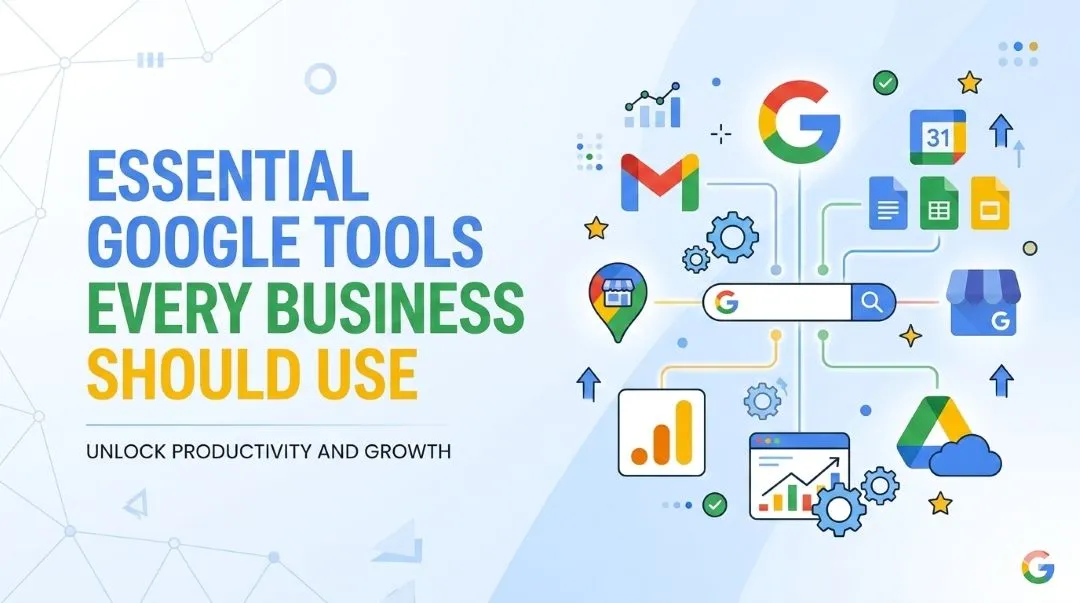
Table of Contents
- Why Google Tools Matter for Modern Businesses
- Analytics and Data Tools
- Google Analytics
- Looker Studio
- SEO and Website Performance Tools
- Google Search Console
- Google Trends
- PageSpeed Insights
- Marketing and Advertising Tools
- Google Ads
- Google Tag Manager
- Local Business Visibility Tools
- Google Business Profile
- Productivity and Collaboration Tools
- Google Workspace
- How These Google Tools Work Together
- Free vs Paid Google Tools
- Final Thoughts
- Frequently Asked Questions
- What are the most useful Google tools for small businesses?
- Which Google tools are free?
- Do businesses need Google Analytics?
- How do Google tools work together?
- Which Google tools help with SEO?
Most businesses I know have a Google account. But very few actually use Google's full toolkit the right way.
When I started working with small businesses and website owners, I noticed a pattern: Google Analytics was installed but never opened. Google Business Profile was half-filled. Search Console was completely ignored. These free tools were sitting there, doing nothing, while business owners paid for expensive third-party software to do the same job—badly.
Here's the truth: if you're running a business online, Google tools for business are not optional extras. They are the foundation. And most of them cost nothing.
Let me walk you through the tools that actually matter, what they do, and how they fit together.
Why Google Tools Matter for Modern Businesses
Google processes roughly 8.5 billion searches every day. Your customers are on Google. Their questions, their "near me" searches, their product comparisons—all of it runs through Google's ecosystem.
The tools Google offers are not just convenient. They are a direct window into how customers find you, engage with you, and decide whether to trust you.
And here is the part nobody tells you: these tools work better together. A business using Analytics, Search Console, and Google Business Profile in sync has a massive advantage over one that uses none of them—or uses them in isolation. If you're still unclear on what SEO actually is and what role these tools play in it, my guide on what SEO can and cannot do is a good place to start before diving into the tools.
Analytics and Data Tools
Google Analytics
This is where most businesses start—and unfortunately, where many of them stop.
Google Analytics tracks how people interact with your website. Where they came from, what they clicked, how long they stayed, and whether they took any meaningful action. That last part matters most.
I've seen restaurant websites where the owner had no idea that 80% of visitors dropped off before finding the reservation button. Analytics showed them exactly where people were leaving. That single insight changed how they redesigned the page.
Key things Analytics helps you track:
- Traffic sources (search, social, direct, referral)
- Top-performing pages
- Conversion events (calls, form fills, purchases)
- Audience demographics and behavior
The free version covers everything most small businesses need. Set it up on day one.
Looker Studio
Once you have data flowing from multiple sources, Looker Studio turns it into something you can actually read.
Think of it as a dashboard builder. You connect Google Analytics, Search Console, Google Ads, and even spreadsheets—and Looker Studio pulls everything into one visual report.
A marketing team can stop jumping between five tabs to understand performance. One dashboard. Traffic, leads, ad spend, SEO growth—all in one place. It's free and more powerful than most paid tools I've used.
SEO and Website Performance Tools
Google Search Console
Search Console is the most underused free tool in Google's entire lineup. I say this having worked with dozens of website owners who had never opened it once.
It tells you exactly how your website is performing in Google Search. Not guesses. Real data.
You can see which keywords bring people to your site, how often your pages appear in search results (impressions), how many people actually click through, and what your average ranking position is. It also alerts you to indexing errors and technical SEO issues before they become serious problems.
If a page is sitting at position 8 or 9, you're close to the first page. Search Console shows you which pages need attention to make that jump. That's not a small thing—moving from page 2 to page 1 can double your traffic overnight.
Google Trends
Google Trends shows you what people are actually searching for, and when.
For a travel business, this means knowing that "Nepal trekking packages" peaks in September and March. For a clothing brand, it means understanding when seasonal demand shifts. For any content creator, it means finding topics before they get overcrowded.
It's also useful for comparing keywords. Is "digital marketing agency" or "online marketing company" more popular in your region right now? Trends answers that in seconds. Turning those insights into actual content starts with picking the right keywords—something I walk through in my post on how to choose keywords.
PageSpeed Insights
Page speed affects your rankings. It affects whether people stay on your site or leave. And it directly impacts your conversion rate.
PageSpeed Insights analyzes your website's loading performance and gives you a score with specific fixes. It measures Core Web Vitals—the exact performance metrics Google uses in its ranking algorithm.
If your site loads slowly on mobile, you are losing customers before they even see your content. This tool shows you exactly why and what to fix.
Marketing and Advertising Tools
Google Ads
If you want traffic fast, Google Ads is the most direct route.
Your ads can appear on Google Search, YouTube, the Display Network, and Shopping results. You only pay when someone clicks. And because the intent behind a Google search is usually high, the leads tend to be more qualified than most other channels.
The most important thing businesses get wrong with Google Ads? They run campaigns without tracking conversions. They spend money and have no idea if it's working. Before you run a single ad, make sure you have conversion tracking set up properly. It also helps to understand the difference between paid traffic vs organic traffic—knowing where each fits in your strategy will save you a lot of wasted budget.
Google Tag Manager
This one is for anyone who has ever had to ask a developer to add a tracking code to their website.
Tag Manager lets you manage all your tracking scripts—Analytics tags, conversion pixels, remarketing codes—from one dashboard, without touching your website's code. You add Tag Manager once, then control everything else from inside it.
It saves time, reduces errors, and means your marketing team can move independently of the dev team. For small businesses especially, this is a bigger deal than it sounds.
Local Business Visibility Tools
Google Business Profile
If you have a physical location or serve a local area, this is the single most important tool on this list.
Google Business Profile is what determines whether your business appears in the local map pack when someone searches "coffee shop near me" or "best dentist in Kathmandu." It shows your address, phone number, hours, photos, and reviews directly in the search results.
Here is where I see businesses leave serious money on the table: they claim their profile, fill in the basics, and never touch it again. But Google rewards profiles that are actively maintained. Add photos. Respond to reviews—every one of them, good and bad. Keep your hours updated. Post updates. The more complete and active your profile, the better your local visibility.
It is completely free. There is no excuse for not optimizing it.
Productivity and Collaboration Tools
Google Workspace
Gmail, Docs, Sheets, Drive, Meet, Calendar—most people use at least some of these already.
What Workspace does is bring them under one roof with proper business features: custom email domains, shared drives, team collaboration, and admin controls. For remote teams especially, it removes friction from everyday work.
The paid plans start at around $6 per user per month. For what you get, it's hard to beat.
How These Google Tools Work Together
This is the piece most guides skip, but it's what makes the whole ecosystem click.
Here's a simple workflow:
- You launch a website and install Google Analytics and Google Tag Manager
- You verify the site in Search Console to monitor SEO performance
- You research content topics using Google Trends
- You check site performance with PageSpeed Insights and fix issues
- You build a performance dashboard in Looker Studio pulling from Analytics and Search Console
- You run targeted campaigns through Google Ads, with conversion tracking handled by Tag Manager
- You manage your local presence through Google Business Profile
Each tool feeds into the others. Search Console data informs your content strategy. Analytics shows whether your Ads are converting. Looker Studio makes all of it visible in one view. If you want a proper setup sequence for a brand new site, the SEO setup checklist for new websites maps this out step by step.
The businesses that win online are not using better tools. They're using the same free tools—but actually using them.
Free vs Paid Google Tools
| Tool | Free | Paid |
|---|---|---|
| Google Analytics | ✓ | Enterprise (GA4 360) |
| Search Console | ✓ | — |
| Google Trends | ✓ | — |
| Tag Manager | ✓ | — |
| Looker Studio | ✓ | Enterprise connectors |
| Google Business Profile | ✓ | — |
| PageSpeed Insights | ✓ | — |
| Google Ads | — | Pay per click |
| Google Workspace | Trial | From ~$6/user/month |
The core toolkit—everything you need to track, optimize, and grow—is completely free. Ads and Workspace are the only tools with meaningful costs for most small businesses.
Final Thoughts
The biggest mistake I see is not using the wrong tools—it's ignoring the right ones.
Google tools for small businesses are not complicated once you understand what each one is for. Start with Analytics, Search Console, and Google Business Profile. Get those running properly. Then layer in the rest as your needs grow.
The data is there. The tools are free. The only thing missing is the habit of actually checking them. And if you want to take your local presence further—especially in Nepal—my post on local SEO for small businesses in Nepal is the logical next step.
Frequently Asked Questions
What are the most useful Google tools for small businesses?
Google Analytics, Google Search Console, and Google Business Profile are the three most impactful tools for small businesses. Analytics tracks website performance, Search Console monitors SEO visibility, and Business Profile handles your local search presence—all for free.
Which Google tools are free?
Most of Google's core business tools are free: Analytics, Search Console, Google Trends, Tag Manager, Looker Studio, PageSpeed Insights, and Google Business Profile. Google Ads is pay-per-click, and Workspace requires a paid subscription for business features.
Do businesses need Google Analytics?
Yes. Without Analytics, you're running your website blind. You have no idea where visitors come from, what they do on your site, or whether your marketing is working. It takes about 30 minutes to set up and pays dividends from day one.
How do Google tools work together?
They share data and complement each other. Tag Manager manages your tracking scripts. Analytics collects behavioral data. Search Console shows SEO performance. Looker Studio visualizes it all in one dashboard. Google Ads drives traffic that Analytics then measures.
Which Google tools help with SEO?
Google Search Console is the primary SEO tool—it shows rankings, impressions, clicks, and indexing issues. Google Trends helps with keyword and topic research. PageSpeed Insights identifies technical performance issues that affect rankings. Together, they cover the main pillars of on-site SEO. If some of these terms are unfamiliar, the SEO glossary breaks them down in plain language.
Want help with your project? Get in touch .